
Datacenter Proxies
Datacenter proxies send your application’s requests through servers with IP addresses from hosting or cloud networks. The website receives a connection from the proxy’s IP. Your browser, scraper, or other application continues to run on your own computer or server.
Datacenter is one of the main proxy network types. It describes where the IP comes from. These proxies are often an economical choice when you need many addresses or transfer a lot of data, provided the websites you work with accept hosting IPs.
Where datacenter IPs come from
A data center houses servers and networking equipment, with power, cooling, and internet connectivity. A proxy provider can own this equipment or rent it from a hosting company. It runs proxy software on the servers and uses public IP addresses from hosting or cloud networks to connect to websites.
One server can serve many proxy IPs. Each address is different, but the addresses may share the same processor and internet connection. This spreads the cost of the hardware across multiple IPs. It also means that buying more addresses does not necessarily give you more bandwidth or allow more simultaneous connections.

The type depends on the IP’s network, not just the building where the server sits. An ISP proxy can run on a server in the same data center while using an IP associated with an internet access provider. Residential and mobile proxies use home internet and cellular connections respectively. A datacenter IP represents a hosting network.
How the connection works
When your application loads a page through a proxy, three things happen:
- The application connects to the proxy using the address, port, and access details supplied by the service.
- The proxy connects to the website and forwards the request. The website sees the IP used for this connection, often called the exit IP.
- The website sends its response to the proxy, which passes it back to the application.
The application still decides which pages to request and how to process them. The proxy carries the requests and responses. It does not perform the scraping or create the test workload for you.
A service may give you a list of proxy addresses or a gateway that selects an IP from a pool. With a gateway, the address entered in your settings can differ from the IP the website sees.
Advantages of datacenter proxies
Capacity for many requests
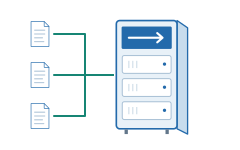
Hosting servers and their network links can handle many connections and large transfers. Traffic does not have to pass through a participant’s home connection or a mobile device’s radio link. This makes datacenter proxies useful for jobs that fetch many pages or download substantial datasets.
Bandwidth and response time are different. A server may transfer a lot of data while each request takes longer because the route is long or the website responds slowly. What matters for your job is the time taken to complete the work, alongside the service’s bandwidth and connection limits.
Lower cost for a large IP list
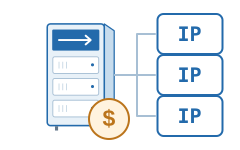
Several proxy IPs can use the same server, and the provider does not need a separate home connection or SIM card for each address. This often makes large datacenter lists less expensive than residential or mobile access. IP addresses still cost money to obtain and maintain; sharing hardware reduces only part of the provider’s costs.
This can be useful for regular collection or large downloads, where the cost of repeated work adds up. Compare the cost of successfully completed jobs: an inexpensive address provides little value if the required pages cannot be loaded through it.
Suitable for scheduled work
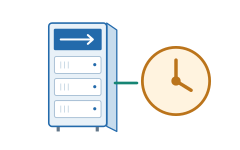
Proxy servers are normally operated continuously. A scheduled job does not depend on a household participant leaving a device connected. With a static service, the application can also return to the same IPs on later runs.
This helps with daily collection, monitoring, and repeated checks. Availability still depends on the provider’s equipment and network: maintenance, faults, or overload can interrupt the connection.
Limitations of datacenter proxies
Websites can recognize hosting IPs
Websites can use IP classification databases and network records to identify addresses associated with hosting providers. They do not need to discover your own IP to do that. A website may accept the connection, show a CAPTCHA, or refuse the request.
A restriction can apply to one IP, a range of addresses, or an entire network identified by its autonomous system number (ASN). In the last case, changing to another IP in the same network may produce the same result. A list with many addresses is not necessarily a list from many different networks.
Previous and shared use can affect an IP
An address may have a poor reputation because of earlier activity. Assigning it to a new customer does not erase that history, and other customers may still use the same IP on a shared service. This is separate from a website rejecting all hosting IPs: even an address with no known abuse history can fall under that rule.
Websites can also assess cookies, accounts, browser signals, and request patterns. Changing the proxy IP leaves many of these signals unchanged. The reason for a refusal therefore matters more than simply how often you rotate addresses.

A large pool does not mean every location is available
The available countries and cities depend on the provider’s networks and IP ranges. Thousands of addresses in a few countries will not help if your task needs a different location. A hosting IP in the required country also does not represent a local household or a mobile subscriber.
For a location check, what matters is how the website identifies the IP. Its geolocation database may disagree with the provider’s country label or the physical location of the server.
What datacenter proxies are used for
The following examples involve different reasons to use proxy IPs: separating collection tasks, keeping a stable address, or testing from several sources. Datacenter infrastructure makes these addresses practical to use for repeated work and large transfers.
Crawling public catalogs and archives
A crawler may collect company records, archive pages, or documentation from many sources. Different proxy IPs can be assigned to separate workers. This is useful when a source counts requests or connections per IP: workers using the same address would otherwise share that allowance.
Datacenter proxies make a large address list relatively affordable and can carry sustained transfers. The crawler still manages the queue, parses the content, and sets the request rate for each website. Adding IPs does not increase the capacity of the website being crawled.
Rechecking prices and stock
A price monitor returns to a known product list throughout the day. Separate proxy addresses can be assigned to stores or product groups, and a static address can be reused across checks. This gives the collection process a consistent network source instead of tying it to the current internet connection of the computer running the monitor.
Low running costs matter because the same pages are fetched repeatedly. Datacenter proxies are worth testing when you need frequent updates across a large catalog. For a small monitor that works through a direct connection, a proxy may add no useful capability.
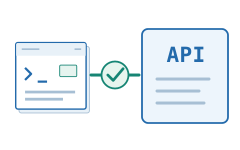
Fetching API data through an allowed IP
Some data APIs accept requests only from approved source addresses. A worker can connect through a static datacenter proxy whose IP has been added to that list. If the worker moves to another server or network, the API still receives the connection from the same proxy IP.
This is useful for regular JSON or XML exports and large data feeds. The proxy supplies the network address and carries the transfer; the application still supplies the API key and handles the responses. A quota attached to that key or account stays the same when proxy IPs are added.
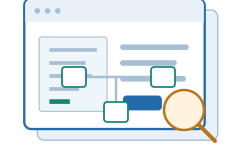
Auditing a large website from an external address
An SEO crawler checks your own or a client’s site for broken links, redirect chains, duplicate titles, and incorrect canonical tags. Comparing the crawl with a sitemap can also reveal pages that have no internal links. A static proxy gives the audit a known external address that the site owner can allow through its access controls. The same address can be reused when the audit runs from another machine.
Datacenter capacity is useful for a large crawl, while the request rate must still match what the site can handle. The crawler finds the errors; the proxy provides the connection. After a migration, this also lets you repeat the crawl from the same permitted address.
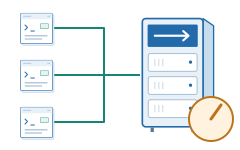
Testing your own site’s behavior under load
An agreed load test can send requests through several proxy IPs to check simultaneous visits, sustained API traffic, or a sudden increase in requests. Different source addresses also let you test how your own service applies its per-IP connection and request limits.
Datacenter proxies provide several external addresses at a manageable cost. The test program creates the workload. Measure the proxy service’s bandwidth and connection limits as well, so that a saturated proxy is not mistaken for a slow website. Multiple IPs may still share one server and network link.
Access options
Two separate choices matter: whether the IP stays the same, and whether other customers use it. A static IP can be shared; a dedicated set of addresses can be used with rotation.
Does the IP change?
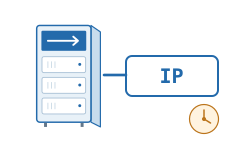
Static
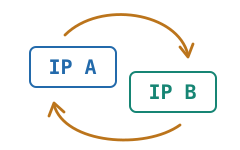
The service keeps an IP assigned so that you can reuse it across connections. It may supply a fixed proxy list or gateway access to those fixed addresses. You can associate an IP with a particular job or keep it for a sequence of actions.
If your application cycles through a static list, the application chooses when to switch proxies. Each address in the list remains fixed.
Rotating
The service chooses IPs from a pool and changes them under its rules, such as for a new connection or after a time interval. Some services offer sticky sessions that keep one IP for a series of requests.
Rotation changes the address, not its network type: a datacenter pool still provides datacenter IPs. The exact timing of changes belongs to the service’s rotation settings.
Who uses the IP?
Dedicated
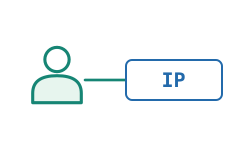
The service reserves the IP for one customer. Other customers of that service do not use it during the reservation. This gives you control over the activity sent through that address.
The server itself can still host other proxy IPs. An exclusive address does not necessarily mean exclusive hardware or bandwidth.
Shared
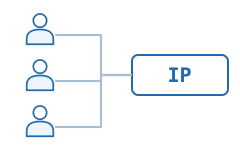
Several customers use the same proxy IP. Their connections are separate, but the website may count their combined requests when applying an IP-based limit. Other customers’ activity can also affect the address’s reputation.
Sharing spreads the cost of the IP across customers.