
Mobile Proxies
Mobile proxies send your application’s traffic through a cellular carrier’s internet connection. The destination website receives the connection from a mobile public IP. You can use the proxy from a laptop, an office computer, or a server: the cellular connection is at the exit supplied by the proxy service.
Mobile is one of the main proxy network types. Its distinguishing feature is the carrier network through which requests reach the internet. This matters when you need access from a subscriber network, an offer intended for a particular carrier, or a way to test how a service works through cellular connections.
How mobile proxies work
Suppose you need to open a page through a mobile carrier in another country. Your application uses the address and access details supplied by the proxy service. The request passes through the following stages:
- Your application connects to the proxy service through your usual internet connection.
- The service sends the traffic to a cellular exit: a phone, modem, or router with an active SIM connection.
- The exit forwards the traffic through the carrier’s network. The website sees the public IP used by that connection.
- The response returns through the cellular exit and the proxy service to your application.
In a service with several exits, the address entered in your application usually leads to a gateway. That entry point can stay the same while the gateway selects different cellular connections. The gateway address identifies where you connect; the exit IP is the address received by the website.
The equipment can remain in one place. A mobile proxy farm may keep its modems on a rack, each connected to a carrier through a SIM. What makes the exit mobile is its cellular data connection. A phone forwarding traffic through home Wi-Fi provides a home broadband exit.

Why several subscribers can share one mobile IP
Mobile carriers can share a public IPv4 address among several subscribers using CGNAT, short for Carrier-Grade Network Address Translation. Devices have their own addresses inside the carrier’s network. At the internet exit, the carrier translates traffic to public addresses and keeps track of each connection so that replies reach the right device.
For example, three people can open the same online store from different phones and SIM cards while the store receives their connections from one public IP. Their browsers, accounts, and sessions remain separate. The IP identifies a shared network exit rather than one particular person.
This sharing takes place inside the carrier’s network. The proxy service separately assigns access to its modems or other devices. Reserving a modem for one customer and sharing a public IPv4 address at the carrier are compatible arrangements. CGNAT concerns IPv4; a carrier can also provide IPv6 and connections with individual public addresses.
Where mobile exits come from
Phones and modems operated by the service
A provider can operate a group of phones, USB modems, or cellular routers with SIM subscriptions. This is often called a mobile proxy farm. Management software routes customer traffic to the devices and handles connection changes.
A customer can receive access to a particular modem connection, share it with other customers, or use several connections through a common gateway. The same equipment can therefore support dedicated access, shared access, and a rotating pool.

A network of participating devices
Another model uses software on participants’ devices to share connection capacity. It can be a separate application or a component within another app, added through an SDK — a software development kit. The owner enables participation, and the service routes traffic through the available connections.
For a mobile pool, the selected device must carry the traffic through cellular data. Devices can join and leave the network, so the gateway chooses among the exits available at that moment. An SDK connects devices to the service; the service’s routing and session settings determine when a customer’s exit changes.

How mobile IPs change
A service can change the route in two ways. It can reconnect a modem’s cellular connection, leaving the carrier to assign the address. Or its gateway can send the next request through another device that is already online. In the second case, the previous device can remain connected.
After a reconnect, the carrier may assign a different public IP or reuse the previous one. Two devices can also appear under the same public IPv4 through CGNAT. Switching a device and changing the IP seen by a website are therefore two distinct events.
Rotation is useful between independent checks that need different exits. For a sequence such as signing into an account, moving between its pages, and saving a change, a sticky session can keep requests on the selected exit within the service’s session limits and while the connection remains available. The browser or application continues to maintain its own cookies and account session.
Advantages of mobile proxies
An IP from a subscriber network
A website receives traffic from a cellular carrier used by ordinary subscribers. On services that treat hosting ranges more strictly, this network origin can make account access or public-page collection more reliable.
Blocking a shared public IP can also affect unrelated subscribers. That does not require a website to accept the address: it can still restrict the IP or evaluate the account, browser and request behaviour separately. A carrier connection is useful when its actual treatment on your target is suitable for the task.
Access to carrier-specific content
Some advertisements, redirects, and offers depend on the visitor’s carrier as well as the country. A mobile exit lets a team request the page through that network and inspect the resulting path.
It also gives developers a way to compare their service across carriers: whether a page opens, which endpoint is reached, and where a network-dependent error appears.
Cellular connections available remotely
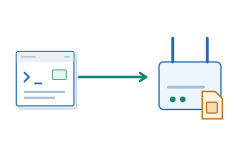
A team can use carrier connections from its existing computers and software. The proxy provider supplies the devices, SIM connectivity, and remote access to them.
For work across several locations, this reduces the need to install and maintain a separate modem setup in each place. A reserved connection suits repeated work through one exit; a pool provides a choice of available connections.
Limitations of mobile proxies
Variable speed and latency
A cellular exit depends on radio signal, modem capability, load on the base station, and the carrier’s route to the destination. A busy network or weak reception at the modem can increase response times and reduce throughput.
The 4G or 5G label identifies the cellular technology used at the exit. Actual performance also depends on those operating conditions and on how many customers share the connection. For sustained workloads, the useful measure is how the connection performs during the work itself.
The cost of cellular capacity
A modem farm needs equipment, active SIM subscriptions, power, and maintenance. A distributed network needs participating connections and a system that keeps finding usable exits. These costs make mobile access more expensive to supply than a simple server-based exit.
Some plans charge for a connection over a period; others charge for transferred data. Reserving a modem pays for its availability even while it is idle. Paying by traffic makes the amount of downloaded data more important to the total cost.
Pauses when a modem reconnects
Reconnecting a modem temporarily interrupts the traffic using that cellular connection. Requests already in progress may need to be retried, and a long-lived connection may need to be opened again.
With a reserved modem, changes can be scheduled between tasks. With a shared modem, one reconnection affects the customers using it at that moment. A pool can route new work to another online device, while an interrupted application connection still needs to recover.
What mobile proxies are used for
Mobile proxies provide an exit through a cellular carrier. They are chosen when the carrier network itself matters to access, targeting, or testing. A mobile IP is not protection against every block, and it does not turn a desktop browser into a phone.
Working in advertising accounts through carrier IPs
Edit campaigns, upload creatives, and review results in advertising accounts through a cellular exit. This is one option for teams whose account access is disrupted when they use hosting or recognized proxy ranges.
The useful change is the network seen by the platform: a mobile carrier supplies the outgoing address. A suitable session mode avoids unnecessary IP changes during account work. Account history, browser signals, and platform verification still affect access; mobile routing does not make those checks disappear.
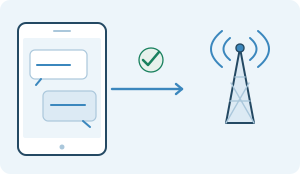
Connecting business messaging accounts
Use a carrier exit for customer-support conversations and business messaging in a client that supports the required proxy protocol. The task needs a usable, lasting connection for message delivery and replies.
Mobile proxies are relevant when the service’s treatment of the source network makes the carrier route useful. The proxy changes that route; phone-number registration, account checks, and messaging limits remain with the service. Telegram and WhatsApp clients have different proxy support, which the connection setup must match.
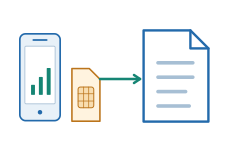
Collecting data from mobile web and app services
Compare public content, offers, or availability returned to a mobile client using a carrier connection. This is useful when a service treats cellular traffic differently from traffic arriving through a server network.
A mobile exit supplies the carrier IP needed for that observation. The application or browser must separately send the appropriate request and maintain its own session. The proxy alone does not reproduce an app’s interface, device identity, or GPS location.
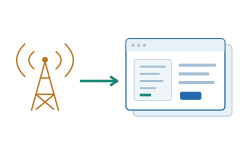
Testing carrier-targeted ads and CPA offers
Open an offer aimed at subscribers of a particular mobile carrier and follow its redirects to the landing page. Check whether the correct page, language, and subscription terms appear for that carrier and country.
A household or hosting IP may never reach the same version because the offer uses the cellular network as an access or targeting signal. A mobile proxy with the required carrier exit lets the team inspect that path. Actual SMS or subscriber billing checks require the relevant subscriber setup as well.
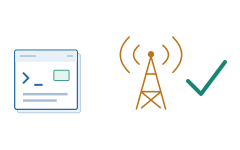
Testing app access through cellular networks
Check whether your app’s web endpoints, sign-in flow, downloads, and supported game services are reachable through a chosen mobile carrier. Comparing carriers can expose filtering, routing differences, or failures that do not appear on office Wi-Fi.
The proxy supplies a cellular exit for the traffic it can carry. This checks the carrier-side path and the server’s response to it. Radio handovers, weak signal on a user’s phone, and device-specific behavior require separate device or network tests.
Access options
Mobile proxies can provide access to a particular cellular connection or to a pool of mobile IPs. With a particular connection, the questions are who shares it and who controls IP changes. With a pool, the service’s exit selection and session rules matter.
Access to a particular cellular connection
The service provides an exit through a particular phone, modem, or SIM connection. The reserved resource here is the connection and its capacity.
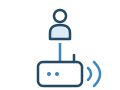
Dedicated / private
One cellular connection is assigned to one customer of the service. Other customers of that service do not share the connection or initiate its reconnection.
If the service supports IP changes on command or on a timer, the customer controls them within the service terms. A dedicated connection can also use rotation.
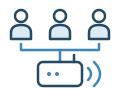
Shared
Several customers use one cellular exit and share its bandwidth. You do not have exclusive control over that connection.
IP changes may follow a common schedule or other service rules. The service description should explain whether customers can trigger rotation and how it affects other active sessions.
Access to a mobile IP pool
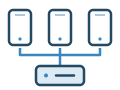
Rotation and sticky sessions
The customer connects to the service’s common entry point, and the service selects an available mobile exit from its pool. Rotation changes exits under the configured rule; a sticky session holds the selected IP for a sequence of requests, subject to the service terms and connection availability.
The customer controls request and session settings rather than a particular SIM card. Connecting devices through an SDK is one way to build such a network; using an SDK does not itself determine how often IPs change.
Choose a particular cellular connection when the work needs a reserved resource or control over reconnections. Choose a pool when it needs a range of available mobile exits. In either model, the carrier and the session mode should fit the task.