
Private Proxies: How They Work and How to Choose
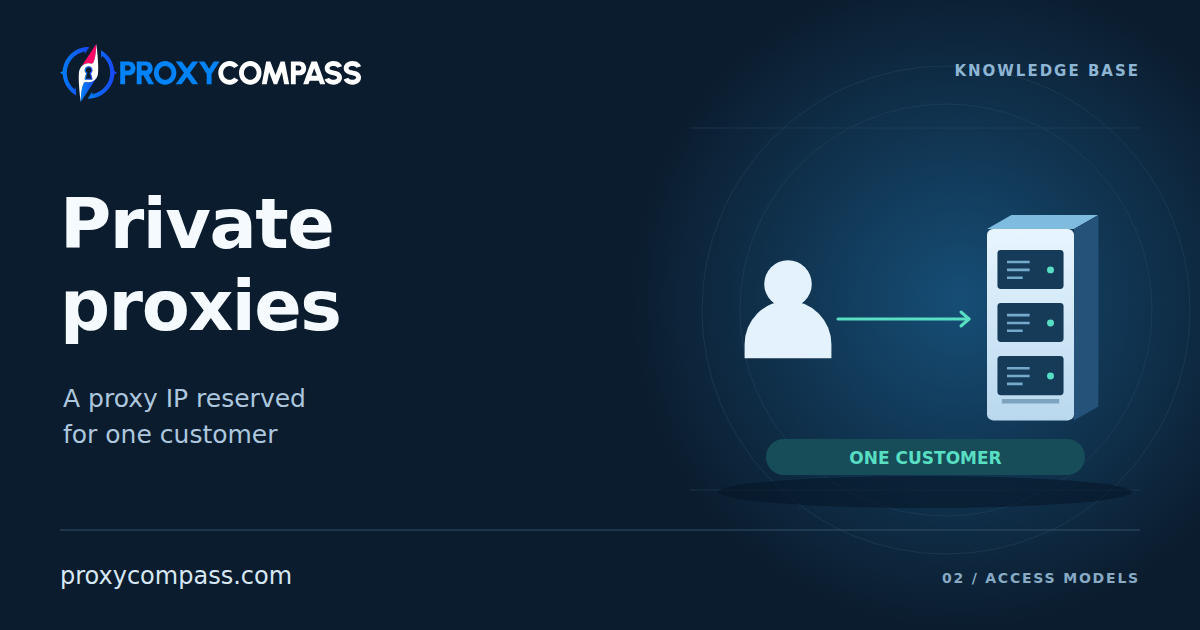
A private proxy service usually reserves an IP address for one customer for the paid period. You decide which applications, work computers, and team members may use it. Other customers of the service cannot use that address at the same time.
The broader choice between private and shared proxies is covered in the overview article. Here we look at what a private offer reserves for you, the practical benefits, and the checks that help you avoid paying for an unsuitable package.
How a provider reserves a proxy for you
The provider records which IPs or connections belong to your order and how long you may use them. For an exclusive IP, the service blocks other customers from sending requests through it for the agreed period.
When you connect, the proxy checks your username and password or the source IP of your computer or server. It then sends the request through an address or connection assigned to your account. These are two separate settings: permission to connect and permission to use a particular exit IP. A personal password alone does not reserve that IP for you.
You receive the proxy address, port, and access details. Several of your applications can use them: the reservation belongs to you as a customer. The illustration uses a 30-day static-IP rental as an example. The IP remains reserved between connections, including while your applications are closed.

How dedicated access works across proxy types
Datacenter proxies: a reserved IP on a server
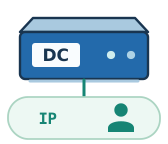
With datacenter proxies, the provider manages addresses available through its servers. A private package reserves particular IPs for your account. The proxy uses those assigned addresses when opening connections to websites.
One physical server can handle many IPs. Its proxy software selects the source address for each outgoing connection and checks who may use that address. The same machine can therefore serve different customers, each with their own set of dedicated IPs.
There are two common connection methods. With the first, the customer receives a list of IPs and ports and connects directly to the required entry. With the second, the customer connects to a service gateway, and a port or connection parameter selects a particular IP from their list. In either arrangement, the service maintains the mapping between the customer and the assigned address.
ISP proxies: dedicated addresses from an internet service provider
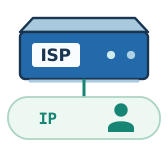
ISP proxies use addresses obtained from an internet service provider and hosted on server infrastructure. This model is also marketed as Static Residential. The proxy service manages their allocation to customers. A private package assigns particular addresses from this inventory to one customer.
For a static ISP package, the service keeps a record of the customer, assigned IPs, connection details, and rental period. One possible gateway arrangement maps each port to a particular IP from your list. Reconnecting to that port then uses the same assigned address; other services select it through connection parameters.
ISP describes the address's network origin; private describes who may use it. A private ISP package can reserve a fixed list for one customer, but the name Static Residential alone does not promise that. Check both the address type and the access terms.
Residential proxies: private IPs are a rare exception
Ordinary residential pools provide shared access to a network of household devices. The service selects a device for each customer's request. A sticky session may retain the selected IP for a time, but this does not reserve it exclusively for that customer.
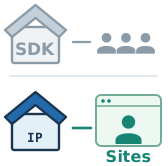
Specialized offers can reserve a group of household IPs for one customer to access specified websites. Other customers cannot use those IPs for the same domains. Such offers are an exception to the ordinary shared-pool model: check the domain list before treating them as a dedicated IP for any destination.
Mobile proxies: a dedicated modem can have a shared public IP
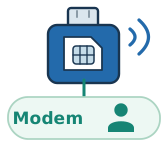
A dedicated mobile proxy usually reserves a modem or phone with a SIM card and its cellular connection for one customer. The supplied address and port send requests to that device. Other customers of the proxy service cannot use the reserved device.
The mobile carrier controls the public IP. With CGNAT, one public address can simultaneously serve several subscribers, including people who do not use proxies at all. Assigning a modem to you therefore does not make the address seen by the website exclusively yours.
You control the assigned device: connect your applications, manage their workload, and, where the service provides this function, request a reconnect through a dashboard, URL, or API. After a reconnect, the carrier may assign a different public IP. The modem remains assigned to you, and the proxy connection address and port may stay the same.
Advantages of private proxies
Protecting IP reputation from other customers’ activity
When the public IP itself is reserved for you, other proxy customers cannot send requests through it during your rental. You decide which applications use it and which websites they contact. This benefit concerns an exclusive public IP; a dedicated mobile modem behind CGNAT does not give you control over other subscribers sharing the carrier's address.
A website may use an IP's reputation to decide whether to request a CAPTCHA or another check. With an exclusive IP, no other proxy customer is adding requests to that reputation during your rental. You can control the frequency and type of activity associated with the address, though the website still decides how to respond.
During ongoing work, you build your own history of interactions: action sequences, request frequency, and periods of activity. If the website's responses change, you can compare them with your applications' activity. This helps identify the cause of failures and adjust the particular task involved.
You can coordinate all requests from the IP
Your applications and team members create the request stream through a dedicated IP. You can schedule downloads, distribute requests between tasks, and see which application created the load. Exclusive access concerns control over that request stream; separate customer traffic accounting is also possible on a shared proxy.
This benefit is particularly clear when a website limits request frequency by IP. Under such a rule, requests from all your applications using one address contribute to a common counter. Starting another application increases the total workload, so schedules and request rates are coordinated for the IP as a whole.
With dedicated access, you control that entire request stream. You can change the number of parallel tasks, pause one of them, or spread requests over time, then assess the results using your own logs. You do not need to guess how much traffic an unknown customer of the service is sending at the same time.
What to consider when choosing private proxies
Can an assigned IP already have restrictions?

Yes. A dedicated IP may have been used by another customer before your rental and may retain restrictions from that period. Exclusivity determines who uses the address now; it does not erase the history websites already have for it.
When checking an IP, distinguish its network origin from observed activity. A hosting-network label describes the address type. A spam record or a restriction on a particular website concerns its use. Different systems have their own data and assessment rules, so a result in one database does not describe how every website treats the IP.
Some providers use a cooldown: a pause between assigning an address to different customers. In systems that consider recent activity, earlier observations eventually fall outside the relevant window. Such a pause may change the assessment in a particular system; there is no single period that clears every database.
Turn a promise of a “clean IP” into a condition you can check: the address should perform your task on the required website when delivered. Before purchasing, establish whether you can test a small package and what happens if an assigned address is unsuitable for the stated task from the outset. Use database checks to investigate problems, and base your decision on how the address works with the service you need.
Why can a website block a private IP?

A blocking decision depends on the IP as well as the requests, session data, and application behaviour. Dedicated access removes other proxy-service customers' influence on the address's current activity; the website continues to assess your own requests under its rules.
An HTTP or SOCKS proxy establishes the outgoing connection, so the website sees the proxy's IP and network connection. With HTTPS through a usual CONNECT tunnel, the application still conducts the TLS exchange with the website. The website also receives the application's headers, cookies, and session data. A dedicated IP does not make these signals identical across applications.
Test the proxy in the application and with the actions you intend to use it for. If a page opens in a browser but the working application receives a refusal, investigate its requests, authentication, and configuration. Change one condition at a time and record the result: replacing the IP while also changing the application will not show which change helped.
Can several dedicated IPs be affected by one block?

Yes, if the website's rule covers a range or network that those addresses belong to. Assigning each IP separately to you does not distribute them across subnets and network operators.
A site can restrict one IP, a range, or an entire operator network. For example, the addresses 203.0.113.21, .22, and .23 all belong to 203.0.113.0/24: their first 24 bits are the same. A rule covering that /24 affects all three. Multiple subnets can also belong to one autonomous system, identified by an ASN, so different subnets do not always mean different network operators.
When choosing a large set, assess the number of subnets and ASNs alongside the number of IPs. Different subnets reduce the number of addresses affected by one subnet rule; different ASNs also separate the set across autonomous systems. If your task requires this independence, establish the package's composition and whether replacements can come from another network. Additional addresses from an already restricted range will not solve that problem.
How should you estimate the cost of large data transfers?

For large data volumes, a dedicated package with a fixed fee and included traffic may cost less than a per-gigabyte plan. Compare options that can perform the same task: a low price per IP says little about the cost of the work if you cannot obtain the required results.
Let F be the monthly cost of a dedicated set with unlimited traffic, and G the price per gigabyte of another suitable plan with no additional fixed charge. The volume at which the transfer charge equals the cost of the set is:
Volume in GB = F / G
Above this threshold, the fixed package has a lower proxy charge for the same transfer volume. Include repeated downloads in the calculation. Also establish the limits on concurrent connections and bandwidth: the absence of per-gigabyte charges describes how the service is billed, while execution speed also depends on the available resources.
For your operating budget, compare total spending with the number of successfully completed operations or the amount of usable data obtained. If requests need retries or additional challenges need handling, include their traffic, time, and paid services in the cost. This lets you assess your own workflow without relying on universal promises of speed or savings.
What should you do if an assigned IP stops working?

First determine whether the proxy itself is unavailable or only the required website is refusing requests. The first case calls for restoring the connection; the second requires investigating the website's response. An automated proxy availability check may not detect a restriction on an individual destination.
For a dedicated address, distinguish restoring the existing IP from issuing a new one. Some services automatically replace addresses when a failure is detected. With a direct connection, the application will need an updated proxy entry; with a gateway, connection details may remain the same while the website sees a different IP. For a process tied to the previous address, that replacement changes its working conditions.
Before paying, ask whether a failed IP is restored or replaced, which failures qualify for replacement, and whether you can choose when the change happens. If a process depends on keeping the same address, these terms matter more than an overall availability percentage.
How to test a package before expanding it
1. Define the resource your task requires
If you need a public IP used exclusively by you, choose an offer that explicitly assigns the address to one customer. Its terms should state the assignment period and the scope of exclusivity. For datacenter and ISP proxies, this can be a particular list of IPs; for a mobile offer, establish whether only the modem is dedicated. The word private in the product name does not replace that description.
2. Start with a small set in the required configuration
The test package should match the future order's network type, location, and usage conditions. Connect your applications and check the actual exit IP, its ASN, and the required geography. For a static assignment, repeat the check after closing the connection and again later in the test: the address should remain assigned under the agreed terms. This checks IP persistence; exclusive allocation must be specified in the service terms.
3. Test the complete workflow
Perform the normal sequence of actions on the required website with the planned number of concurrent connections. Record response times, successful results, retries, additional challenges, and traffic usage. Separate proxy connection errors from the website's own responses. One successful homepage load or speed test is insufficient to assess how an application will work over time.
4. Expand the package based on the results
For a larger order, retain the tested parameters: network type, location, required distribution across subnets and ASNs, limits, and replacement terms. Estimate monthly spending from the results obtained. Expand when the package performs the required operations with acceptable response times, the cost per successful result fits your budget, and the procedure for losing an address suits your workflow.