
Proxy Usage Limits
Proxy usage limits determine how much data a service can carry for you, how quickly you can send work through it, and which destinations it will reach. Several rules can apply to the same task. Unlimited traffic can come with a limit on concurrent connections and restrictions on particular websites or ports. Each condition controls a different part of the service.
When choosing a proxy service, compare these conditions with the work your application actually performs. An IP count or one successful test reveals only part of that picture. Understanding what each limit measures makes it easier to estimate capacity and identify which condition needs to change when a task does not fit.
What a provider can limit
Some limits describe a resource you consume over a period. Others control the workload at a particular moment or decide whether a connection is allowed at all. The following distinctions are useful even when a plan advertises only one or two of these parameters.
| Parameter | What is measured | What it determines |
|---|---|---|
| Traffic volume | Bytes transferred | Unlimited or capped, depending on the product |
| Request allowance | Counted operations during the allowance period | How much counted work is included |
| Transfer rate | Bits or bytes per second | How quickly data can be transferred |
| Request rate | Requests per second or minute | How frequently new work may be submitted |
| Concurrent connections | Connections counted at the same time | How many connections may remain open together |
| Destination access | Requested site, address, or operation | Which resources and functions are permitted |
| Port access | Destination port and transport | Which network services the proxy can reach |
A provider uses these rules to allocate network capacity and processing resources, control costs, and restrict unwanted activity. Their effects differ: a higher connection limit permits more connections at once, while permission to reach a blocked destination changes which task the service can perform. Changing one condition does not automatically change the others.
Concurrent connections
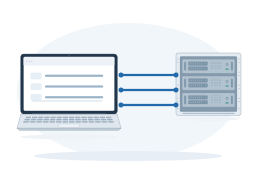
A concurrent-connection limit sets how many connections can remain open at once. A browser or another application can open several connections for one task. The number of tabs, profiles, or program threads therefore does not tell you exactly how much of this allowance is in use.
Connections can remain open between requests, and HTTP/2 can carry several requests over one connection. Sending fewer requests per minute does not necessarily free the occupied connections. The article on concurrent connections explains what consumes this allowance and why it differs from the number of requests.
Limits can affect one another. If a large response takes longer to transfer, its connection may stay occupied longer. A program that continues starting new work can then reach its connection limit, even at the same request rate. Adding parallel work at that point can increase waiting and failures without raising completed throughput.
Blocked websites and apps

A provider can restrict access to particular websites, addresses, or operations. A destination may be on its blocklist even when traffic is unlimited and connection capacity is available. Access can also differ between products from the same provider. The article on blocked websites and apps explains how these lists arise and what determines access to a particular resource.
An application may use several destinations: its main page can open while a separate function fails. The destination website can also impose its own restrictions even when the proxy provider allows access. To understand a failure, first identify which resource is unavailable and which side refused the request.
Blocked ports
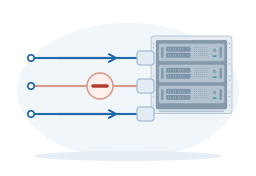
Access to a website does not establish that every network service on the same server is available. A provider may allow web traffic while blocking a mail submission port. What matters here is the destination port requested by the application. The article on blocked ports explains how this differs from the port used to connect to the proxy itself.
Transport support is another part of that permission. TCP and UDP are different ways of carrying data, and access to a numbered TCP port does not establish access to the same UDP port. The required transport must be supported and permitted by the product. More IPs or a higher connection allowance cannot supply a missing permission.
Data volume, transfer speed, and request counts
Traffic volume

Traffic can be unlimited or sold with a data allowance, depending on the provider and product. Some providers sell a fixed amount of data, such as a monthly package in gigabytes. For such a package, check the validity period, when the allowance resets, and whether unused data carries over. These accounting rules apply to products with a data allowance; they are not a universal condition of proxy access.
The size of a saved result is not a reliable traffic estimate. Extracting a short price or product name may require downloading an entire page. A browser can also request images, scripts, and other files. Repeated attempts can transfer data again. Measuring the actual application helps estimate network load. If the product is billed by traffic volume, also check which transferred bytes the provider counts.
Transfer speed
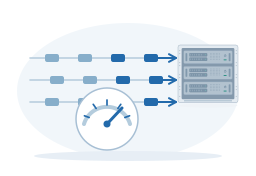
A transfer-rate limit controls how much data can pass in a unit of time. It is usually expressed in bits per second, such as Mbps, or bytes per second, such as MB/s. One byte contains eight bits: 80 Mbps corresponds to 10 MB/s before protocol overhead. These are units of speed; a monthly allowance expressed in GB answers a separate question.
The scope of the advertised speed matters. A server port rated at a particular speed does not establish that every customer or every connection receives that rate. Several transfers may share one allowance. Actual speed also depends on the route, the destination server, and the client’s own connection, so a provider’s stated ceiling is not a guaranteed result for every download.
Response time matters alongside transfer speed. A server can make an application wait before sending a small response, even when there is ample capacity to transfer the bytes. Large downloads are more sensitive to sustained transfer rate; workloads made of many short requests may be affected more by response delays and the permitted request rate.
Request allowance and request rate
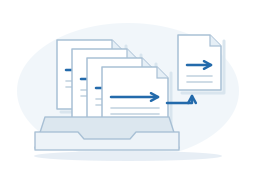
A request allowance specifies how many counted operations are included. A request-rate limit specifies how closely together they may be sent. Having a large remaining balance does not establish that the whole balance may be used in one short burst. These two limits can exist independently, including in a product that does not bill by traffic volume.
The counted operation also needs a clear definition. A click, a page visit, an HTTP request, and a completed scraping task are different events. One page visit can generate many HTTP requests; one managed API task can involve several attempts performed by the provider. Whether those attempts consume the customer’s allowance depends on the product’s accounting rules.
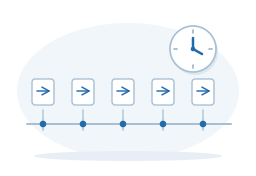
A rate limit also has a time window and rules for short bursts. Dividing a per-minute limit by sixty gives an average, but does not reveal how the service treats a batch sent at once. Spreading permitted work over time can fit a rate limit without changing its total volume. It does not restore a request allowance that has already been spent.
Which account, IP, or product shares the limit
A number becomes useful only when you know what shares it. A provider can apply a limit to an account, an order, an individual proxy IP, an authorized client IP, or another defined group. For example, a total transfer-rate allowance for an account is shared by the programs using it. Giving those programs different exit IPs does not create a separate allowance for each one.
Several levels can apply together. A service might set a maximum for each proxy IP and a second maximum for the whole package. Distributing work across the IPs can help with the first constraint, but the package total still applies. A limit attached to the client’s public IP may also be shared by several devices that reach the internet through that address.
Product rules matter as well. A direct proxy connection, a managed scraping API, and another network sold by the same provider can have different allowances and permissions. The unit counted by an API may be a task or result rather than a network connection. Read the limits for the product you intend to use, including any settings applied specifically to your account.
What happens when a limit is reached
The service’s response depends on the rule. At a transfer-rate ceiling, data can continue moving at a limited speed. With a request-rate limit, excess work may wait or be rejected. At a connection limit, the service can refuse new connections while existing ones remain usable. For products with a traffic or request allowance, exhausting that allowance may require renewal or an additional purchase; the provider’s terms determine the available options.
The word “unlimited” therefore needs an object: unlimited traffic, requests, or connections. Each describes one parameter. A plan with unlimited traffic can still have finite transfer speed and a connection limit. Where a provider uses fair-use conditions to change an allowance after sustained heavy use, those conditions also form part of the plan. The word alone does not define the complete set of rules.
An explicit provider message is more useful than a generic failure. HTTP 429 means that the responding service considers the number of requests too high under its rules. First identify whether the response came from the proxy service or the destination. A timeout can have other causes, including a slow destination or network trouble. Usage statistics, error details, and the time of the attempt help distinguish a quota problem from a failure elsewhere.
Repeatedly resending refused work can make a rate problem worse and may consume additional allowance. A useful change targets the known condition: reduce the sending rate, close connections that are no longer needed, add the exhausted allowance, or confirm permission for the destination. A general package upgrade helps only if it changes that particular condition.
Match the limits to the complete task
Start with the required result and deadline. As an illustrative calculation, suppose a job needs 6,000 HTTP requests within 30 minutes, with an average response of 0.5 MB. That is an average of 200 requests per minute and about 3 GB of response data using decimal units. The estimate excludes outgoing data, extra browser resources, and repeated attempts. Those must be included if the real job generates them and the service counts them.
These totals do not yet establish the connection allowance you need. Test the application’s actual parallel activity and how long connections remain occupied. Include other programs sharing the same limit and the short bursts that occur when jobs start together. Measure data volume, request rate, and concurrent connections separately; one counter cannot stand in for all three.
Use the intended product and destinations for the test, including the application functions needed to finish the job. A small successful check establishes that one operation worked. A representative run adds evidence about sustained load, peaks, and the resources the complete task needs. Keep some capacity for the variation observed in the test instead of treating the average as a safe maximum.
If a requirement is unclear, give support a concrete description: the product, target hosts, destination ports and transport, expected data volume, request rate, peak connections, and any exact error. This lets the provider check the relevant allowance or permission. The result you need is a match between the service’s stated limits and the workload you plan to run.