
Shared Proxies: How They Work and How to Choose
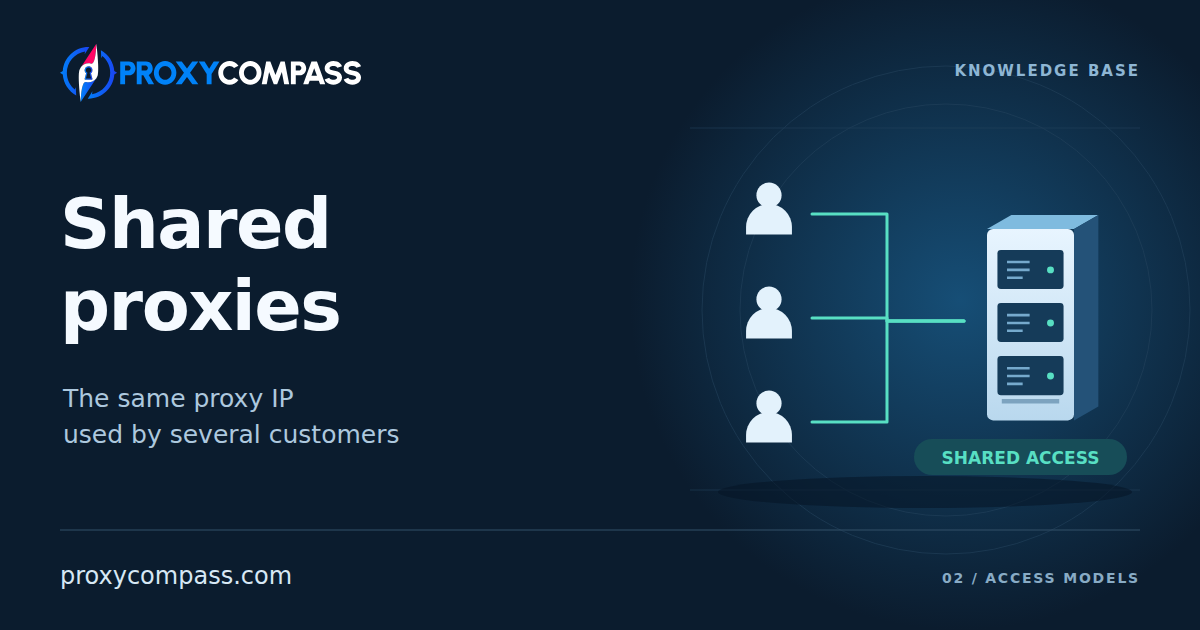
Shared proxies give several customers of a service access to the same exit IPs or proxy connections. Requests from different buyers can reach a website through one address at the same time. Customers pay for access, and the service distributes the shared resource between them.
Sharing usually reduces the cost of access and makes more addresses available within a given budget. Other customers' workload and activity can also affect the results. The overview of private and shared proxies explains the two access models; this article covers how shared access works, its benefits, and what to test before buying.
How shared access works
A proxy service accepts customer connections and forwards their requests through available exit addresses. Each buyer can have separate credentials, access permissions, and traffic accounting. The service distinguishes its customers even when a website sees the same public IP. Responses return through the corresponding connections; sharing an address does not itself combine browser sessions, cookies, or website accounts.
Customers receive a list of IPs and ports or connect to a gateway that selects an exit IP from a shared pool. Several gateway ports can use the same exit IP. Count the distinct addresses seen by the website, not just the connection entries supplied by the provider.
Shared describes access by multiple customers. The address itself can remain fixed or change according to the service's rules. In an ordinary shared pool, keeping an IP for a session—a sticky session—does not reserve it exclusively for one customer either. Paid shared access can require authentication; an open, free proxy is a separate service model.


Shared access across different network types
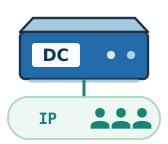
Datacenter proxies: several customers use the same IPs
Shared datacenter proxies run on server infrastructure in a datacenter. The service allows several customers to send requests through the same address. Buyers may receive overlapping IP lists or connect to a gateway that distributes requests across a shared pool.
One server handles many addresses and connections. Bandwidth and processing capacity are distributed between tasks on that infrastructure. The service may limit customers per IP, bandwidth, or each buyer's concurrent connections. This allocation affects how noticeable other customers' workload becomes.
A website receives requests from one exit IP even when those buyers have separate proxy-service accounts. If the website limits request frequency by IP, all those customers' requests can contribute to the same counter.
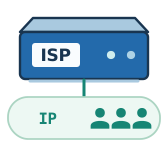
ISP proxies: the same model with internet service provider addresses
Shared ISP proxies work in the same way: the proxies run on servers, and several customers receive access to the same exit IPs. The difference is the addresses' origin—they are obtained from an internet service provider. Such products may also be sold as Static Residential.
Customers receive a proxy list or gateway connection details. With a static assignment, an address can remain available throughout the paid period while still being shared. This is a server-based service using ISP addresses; it does not depend on a household computer remaining switched on.
An IP's origin can affect how a website classifies its network. Shared access still applies: several customers contribute to the workload and request history associated with the address.
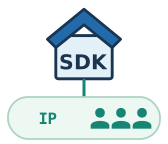
Residential proxies: a shared pool of household connections
Shared access is the standard model for ordinary residential pools. The service brings together available household connections, including through applications with an SDK, and selects a suitable device for a customer's request. The buyer receives access to a network of devices instead of a permanent personal IP list. Specialized allocation arrangements exist, but they are not characteristic of an ordinary shared pool.
An address is generally not assigned to a small, fixed group of buyers. One connection can serve requests from different customers, including concurrently, within the service's workload allocation rules. An advertised allowance for concurrent connections does not tell you how many other customers are using the same exit.
Popular countries and cities can receive more requests, but they can also have more devices available. Applying city, provider, or network filters reduces the eligible set. The result depends on demand and available connections together; choosing a less popular location alone does not guarantee a lighter workload or more stable access.
Performance depends on the household internet connection, device workload, and other customers' requests. The household owner also uses the connection, and the device can go offline. The same filters can therefore produce different latency, transfer speeds, and availability at different times. The pool may find a replacement, but retaining the previous IP is not guaranteed.
Mobile proxies: one modem shared by several customers
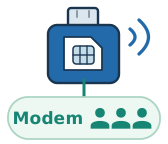
In a shared mobile service, several buyers can use one modem or phone with a SIM card. For example, a service may sell access to one modem to three customers. Each has separate connection credentials, but their requests pass through the same cellular connection. Three customers do not mean three modems or three guaranteed equal shares of bandwidth.
Available capacity depends on signal quality, carrier network load, equipment, and the combined traffic of the modem's users. If one customer starts a large download, less bandwidth may remain for the others. Limits for individual users can help allocate the resource when the service applies them.
Reconnecting the modem affects the shared connection. If any of the three customers can trigger this kind of IP change, one person's action can interrupt the others' requests. Other services manage changes themselves on a common schedule. Reconnection permissions and IP retention rules therefore matter for a shared modem.
CGNAT in the carrier's network adds a separate form of sharing: different mobile subscribers can use one public IPv4 simultaneously. This also occurs with a dedicated modem. Mobile pools supplied through SDKs can likewise give customers access to a shared device network; that model may have no fixed group of three customers per modem.
Advantages of shared proxies
Lower access costs
Address and infrastructure costs are distributed between several buyers. For comparable network types, geography, and conditions, this usually allows a lower access price. The saving is useful for recurring checks of public pages, public data collection, and testing tasks that do not require exclusive use of an exit IP.
Compare offers that can perform the same work. A shared residential pool billed by traffic volume may cost more than a datacenter package: IP origin, data volume, and the service provided all affect the price. The benefit of shared access is a lower cost for a suitable working setup.
More IPs within the same budget
A lower access price can make a larger set of shared addresses affordable. This is particularly relevant to datacenter and ISP proxies sold in packages with a specified IP count. Customers can distribute their tasks across more exits instead of concentrating their own requests on one address.
The useful size of a package is the number of distinct IPs that work with the required websites and locations. Duplicate exits and addresses affected by the same network restriction do not provide the expected expansion. When choosing a large package, assess its composition and working addresses alongside the advertised count.
One shared pool can offer several locations
A shared pool with geographic targeting lets you choose an available location for each task without maintaining a permanently assigned IP list for every destination. This is useful when today's checks require one country and tomorrow's require several others. The service selects an available exit.
This benefit applies to offers with a shared pool and the necessary filters. A fixed shared list has the geography of the purchased package. For short tasks across different locations, check whether location changes are included in one access plan and how they affect billing.
What to consider when choosing shared proxies
How many customers can use one IP?

There is no standard number. The same shared IP may be available to a small group of buyers or to customers of a shared pool, and that group can change. How many other people can use the address at the same time as you depends on the service.
Before buying, ask the provider: “How many other customers can use each IP in my package? Is there an upper limit?” If the service does not disclose a number or guarantee a limit, the word shared alone cannot tell you.
Why does a website limit requests when I send very few?

If a website counts requests by IP, other proxy customers' requests can contribute to the same counter. A limit may affect you before your own application creates much traffic. Your proxy plan's allowance and the website's allowance operate independently.
A 429 response reports rate limiting; it does not prove that another customer caused it. A website can count by account, cookie, IP, or a combination of signals, and the response may also come from the proxy service. Record the source of the response, its time, and the exit IP. If it includes Retry-After, wait for the specified period. Repeated limits under a light workload of your own are useful evidence to discuss with the provider.
Can another customer cause a working IP to be blocked?

Yes. Other customers' activity can trigger checks or a block on a shared address during your rental. A restriction can apply to a particular website, so a successful proxy availability check does not establish access to the pages you need. The website continues to assess your own requests as well.
Before buying, establish what the service does when your required destination blocks an address: replaces it, offers another part of the pool, or considers the proxy operational because the connection still works. If a restriction covers a subnet or operator network, a neighbouring IP may produce the same result. Shared access does not provide control over which other customers can use an exit when your task requires that control.
How many residential IPs remain after applying filters?

For a residential service with country, city, or provider filters, count the IPs available under the conditions your task requires. A headline pool size may include addresses seen over a month in all countries. It does not tell you how many IPs are online now in one city or one provider's network.
Test the filters you intend to use. Record how often IPs repeat, how long selection takes, and what happens when no matching device is available. The service may wait, return an error, or select a substitute under its rules. If the task requires a particular location, check that the substitute still matches it.
Can another customer change the IP of a shared mobile modem?

This question concerns shared mobile proxies where several customers use one modem with a SIM card. If the service lets those customers trigger IP changes, any of them can reconnect the modem and interrupt the others’ requests.
Before buying, check who controls IP changes: the provider alone, a common schedule, or each customer through a special link. If you need to keep one address for a long time, find out whether another user can change it at any moment.
Can other customers slow down the proxy?

Yes. High shared load can reduce speed: pages open more slowly and files take longer to download. How noticeable this becomes depends on spare bandwidth and how the service allocates it among customers.
Before buying, test speed in your own application and on your target websites. Repeat the test at different times with your usual workload. This shows whether the speed is sufficient for everyday use and how much it varies.
How can you tell which package offers better value?

For packages with a fixed IP list, compare the price with the number of addresses that work for your target websites. A cheaper package may offer worse value if a substantial share of its IPs are blocked by the website or unsuitable for your application.
During the trial, test every IP in a small package and count how many suit your work. Divide that package’s price by the usable count and compare packages covering the same period. Also check the rules for replacing unsuitable addresses.
How to test a shared package before expanding it
1. Define the configuration and success criteria
Specify the network type, countries or cities, number of distinct exit IPs, session duration, and concurrent tasks. Decide what response times, success rate, and cost per result you can accept. For a shared modem, also define acceptable interruptions and IP change rules; for a residential pool, record the exact filters.
2. Start with a small package under the intended conditions
The test should use the same sharing model and limits as the main plan. A faster demonstration with less competing traffic will not show how the ordinary package behaves. Check the actual exit IPs, their network origin, and location; for a list, compare the number of entries with the number of distinct exits.
3. Run the complete workflow at different times
Test the required pages and actions in your application, then repeat them with the planned concurrency at different times of day. Record exit IPs, time to usable results, errors, retries, website challenges, and traffic usage. Distinguish proxy unavailability, website refusals, and lost sessions. Check the returned content: a challenge page or empty result may arrive instead of the data you need.
4. Increase the package based on measured results
Expand when the package performs the task in the required locations, maintains acceptable results at different times, and fits your cost per successful operation. Retain the tested access model and limits. If failures consume the saving, first identify their cause: too few eligible exits, a shared connection, website rules, or modem restarts. Additional IPs help only when they address the limitation you found.