
IPv6 Proxies
An IPv6 proxy uses an IPv6 address when it contacts websites on your behalf. The address contains numbers and letters separated by colons and can look like this: 2001:db8::42. The website sees this as the address the request came from.
The differences between the two IP versions are covered in IPv4 vs IPv6 Proxies. Here, we explain how an IPv6 address is written and what to know about proxies that use these addresses.
What IPv6 and IPv6 proxies are
IPv6 stands for Internet Protocol version 6. It sets the rules for sending data between devices over a network. Data travels in small units called packets. Each packet contains the sender's and recipient's IP addresses, which tell network equipment where the data came from and where to send it.
An IPv6 address is assigned to a device's network interface, such as a server's network card. One interface can have several addresses. Those addresses can be changed, so an IP address is not permanently tied to one device.
When you use a proxy, your application sends its request to the proxy first. The proxy contacts the website, receives its response and passes it back to the application. An IPv6 proxy does this using an IPv6 address. The website may log that address, check it against its access rules or use it to estimate the visitor's country.
How an IPv6 address is structured
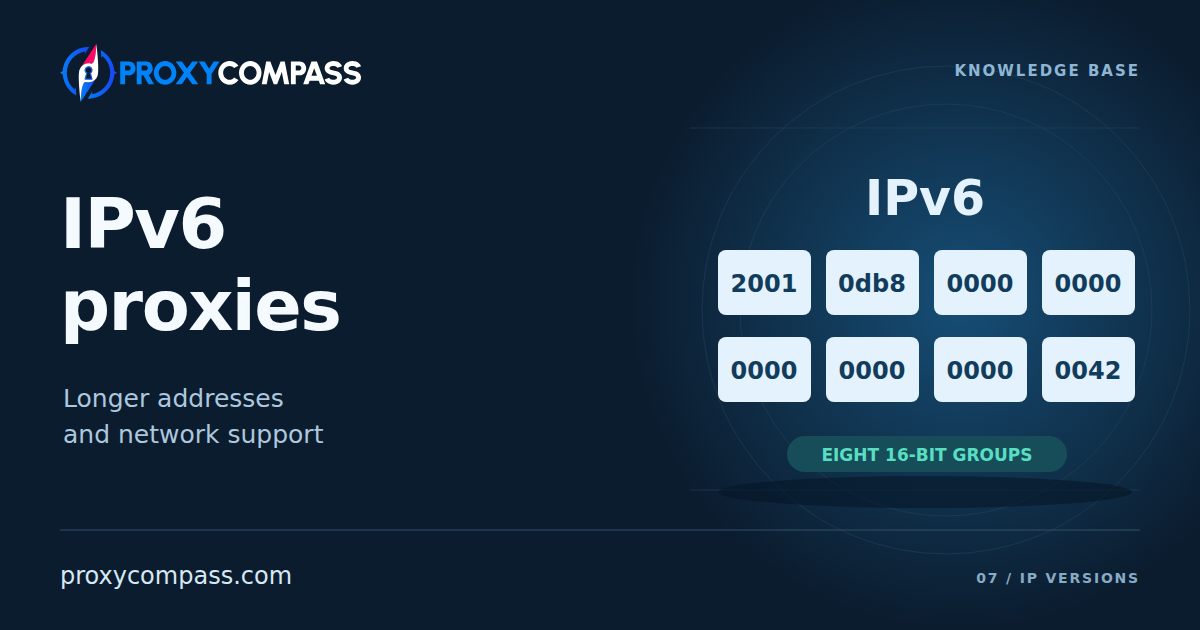
Written in full, an IPv6 address has eight groups of four hexadecimal digits. Colons separate the groups: 2001:0db8:0000:0000:0000:0000:0000:0042. The diagram shows each group separately.

Hexadecimal uses sixteen symbols: the digits 0–9 and the letters a–f. The letters represent the numbers ten to fifteen, so they also count as digits in this notation. Together, the digits form a numerical address; they do not spell out a country or provider's name.
A bit is a binary digit: either zero or one. Each hexadecimal digit represents four bits, making sixteen bits per group of four digits. Eight groups give a total of 128 bits. Each group can contain a number from 0000 to ffff. The colons make the groups easier to read and are not part of those 128 bits.
Proxy lists usually show a shorter form of the address. Some zeros are omitted according to specific rules. The address itself stays the same: it still has eight 16-bit groups, even when not all of them appear on screen.
Shortened addresses and port numbers
The first rule is to remove zeros at the start of each group. For example, 0db8 becomes db8, 0042 becomes 42, and 0000 becomes a single 0. Our address now reads 2001:db8:0:0:0:0:0:42. Zeros in the middle or at the end of a group must stay: removing them changes the number.
The second rule is to replace consecutive groups of zeros with a double colon, ::. Our example has five such groups in a row, so it can be written as 2001:db8::42. A double colon can appear only once in an address. Otherwise, software could not tell how many groups had been omitted at each position.
When shortening an address, choose the longest run of zero groups. If two or more runs are equally long, shorten the first one. For consistent notation, the standard recommends lowercase letters and says not to replace a single zero group with a double colon. Uppercase letters are also valid and represent the same numbers. As a result, full and shortened forms, or forms with different letter cases, can all refer to the same IP address.
To write a port alongside an IPv6 address, put the address in square brackets and the port after them: [2001:db8::42]:8080. The brackets show where the address and its colons end, so the port can be read separately.
![Five consecutive zero groups in 2001:db8:0:0:0:0:0:42 become a double colon. The same address is written with a port as [2001:db8::42]:8080. A blue brace identifies the address inside square brackets; a green brace identifies port 8080 outside the brackets.](/media/kb/assets/content/PC-KB-027/assets/PC-KB-027_FIG02_IPv6_Port_EN_mobile_v01.branded-g08.svg)
Here, the text inside the brackets is the IPv6 address, and 8080 is the port number. A server can run several services; the port identifies which one to connect to. For a proxy, this is the port where it accepts client connections. Neither the port nor the brackets are part of the IPv6 address. A full string that specifies the protocol can look like this: http://[2001:db8::42]:8080. If your application has separate address and port fields, enter the values separately, following its required format.
Why there are so many IPv6 addresses
With 128 bits, there are 2128 possible addresses, or approximately 3.4 × 1038. This is the total number of possible combinations. Not all of them are intended for use on the internet: some ranges are reserved for special purposes.
Network operators receive large IPv6 ranges and assign portions of them to customers. A proxy provider can have a vast supply of unused addresses. It uses its range to build a pool: the set of addresses it makes available to proxy users. When more IPs are needed, the provider can take them from the same range.
This supply makes it easier for a provider to expand its pool and issue addresses that nobody has used before. It also makes a low price per IP possible. A working proxy still needs a server and network access, though: spare addresses cannot replace hardware or an internet connection.
Where providers get IPv6 addresses
Regional Internet Registries distribute address ranges to network operators and other internet participants. A proxy provider can obtain a range from a hosting company, from the operator that connects its servers to the internet, or from a registry for its own network. It must use the addresses under the terms on which the range was assigned.
The range also needs routing: paths for data to travel between networks. Network equipment must deliver website responses to the proxy servers using those addresses. Without correctly configured routes, the proxies cannot exchange data with websites. A randomly generated list of IPv6 addresses will not work: the addresses must be assigned to the provider and reachable through its network.
A single server can have many IPv6 addresses. The proxy software selects a source address when it opens a connection to a website. Requests sent through that same TCP connection keep its source address; the address used for a new connection depends on the service's settings. A thousand different IPs therefore do not necessarily mean a thousand servers: all the addresses can run on one machine and share one internet connection.
The IPv6 label does not tell you who operates the network. These addresses are used by data centers, home internet providers, organizations and mobile operators. Check the particular offer for the network type and country; the address format alone does not tell you either.
What determines the cost of IPv6 proxies
A provider pays for servers and connectivity, configures its proxies, monitors them and supports its customers. Those expenses remain even when unused IPv6 addresses are plentiful. If one server handles a large pool, the costs can be spread across many IPs. This is why a long address list can be relatively inexpensive.
Providers can charge in different ways: for a fixed list of IPs, traffic volume, request count or access to a pool. To estimate your costs, you need to know what the plan includes and what costs extra. The price per IP alone tells you little about the total cost of running your tasks.
Address count and proxy performance are different things. Adding another thousand IPs to the same server does not make its processor faster or increase its network bandwidth. The number of simultaneous requests it can handle depends on the hardware, connectivity and plan limits. Response times also depend on the website's distance and the networks between it and the proxy.
A package with many IPs may therefore suit tasks that need different addresses but make relatively few requests. Handling many simultaneous requests requires enough server and network capacity. When choosing a package, assess the number of IPs and the workload it can handle separately.
Compatibility with websites and applications
For a proxy to contact a website over IPv6, the website must have an IPv6 address and accept connections to it. That address is usually listed in DNS, the system that maps domain names to IP addresses. IPv6 uses an AAAA record. A DNS record alone is not enough: the website's server must be running, and the proxy provider's network must be able to reach it over IPv6.
If a website works only with IPv4, a proxy cannot contact it directly from an IPv6 address. Some providers offer IPv4 access to these websites: the request is forwarded using an IPv4 address, which is the address the website sees. Check with the provider whether it offers this option. A thousand IPv6 addresses do not become a thousand IPv4 addresses; the number of IPv4 addresses available depends on what the provider supplies.
A website may use separate domains for its home page, account login and the API through which applications request data. For example, the home page may be available over IPv6 while the login server supports only IPv4. A proxy that contacts websites only over IPv6 could open the home page but could not complete the login. Test the full sequence of actions your application performs: opening one page does not show that its other requests will work.
How the application passes the website's address to the proxy also matters. HTTP and SOCKS5 are proxy protocols; their names alone do not confirm that a particular proxy can contact websites over IPv6. If the application sends a domain name, the proxy can look up its IPv6 address through DNS, but may choose IPv4 when both are available. If the application sends only an IPv4 address, it asks for a connection to that address. To test IPv6 specifically, use a service setting that selects IPv6 or pass the destination's IPv6 address where supported, and verify the address seen by the destination.
The address you enter in your application may differ from the address the website sees. For example, the application connects to the proxy over IPv4, and the proxy contacts the website over IPv6. This lets you use an IPv6 proxy even when your own network has no IPv6 connectivity. If the provider supplies only an IPv6 address for connecting to the proxy itself, your application and network must support IPv6 too.
New addresses, network reputation and restrictions
The large IPv6 supply makes previously unused addresses possible, but does not prove that a particular address is new. A provider may assign you an IP it has issued to another customer before, and its own assignment records may not cover earlier use of the range. If the address has never been used, it has no previous user's request history of its own. That is a separate question from the history of the surrounding network.
A website may consider both the individual IP and the network it belongs to. For example, an unused address may belong to a data center whose other addresses have already sent unwanted requests to that website. In that case, having no history on the individual IP does not guarantee the website will trust it.
Blocks can also apply to an entire address range. If a website has blocked the provider's range, switching to another IP within that range will not solve the problem. For the same reason, you cannot assume that every address will receive its own request allowance: a website may apply a shared limit to a group of addresses.
A promise of “clean IPs” needs an explanation from the seller. It may have checked the addresses against certain blocklists, while the website you need has its own restrictions. An address can be absent from the checked lists and still fail to work on a particular website.
A large IPv6 pool does not, by itself, mean a poor reputation. Address count, past use and the networks the addresses belong to are separate considerations. Ask whether the provider issues addresses from one range or several networks, and test the proxies on the websites you need.